Without Patchpin
Button.tsx so all buttons are purple…
Three rounds later, you’re pasting screenshots into chat.
A Chrome extension for AI builders
Click any element on any site, edit it live, and Patchpin hands your coding agent a precise prompt with selectors, before and after, and screenshots. Works with Claude Code, Cursor, Codex and the rest.
Completely free. Unlimited changes. No Patchpin account required.
Install from ZIP with Chrome’s Developer mode. Installation guide
Hands off to the agent you already use
Claude Code, Cursor, Codex, GitHub Copilot, Windsurf, Cline, Gemini CLI, Aider, Zed and any other agent that accepts a prompt.
The problem
Without Patchpin
Button.tsx so all buttons are purple…
Three rounds later, you’re pasting screenshots into chat.
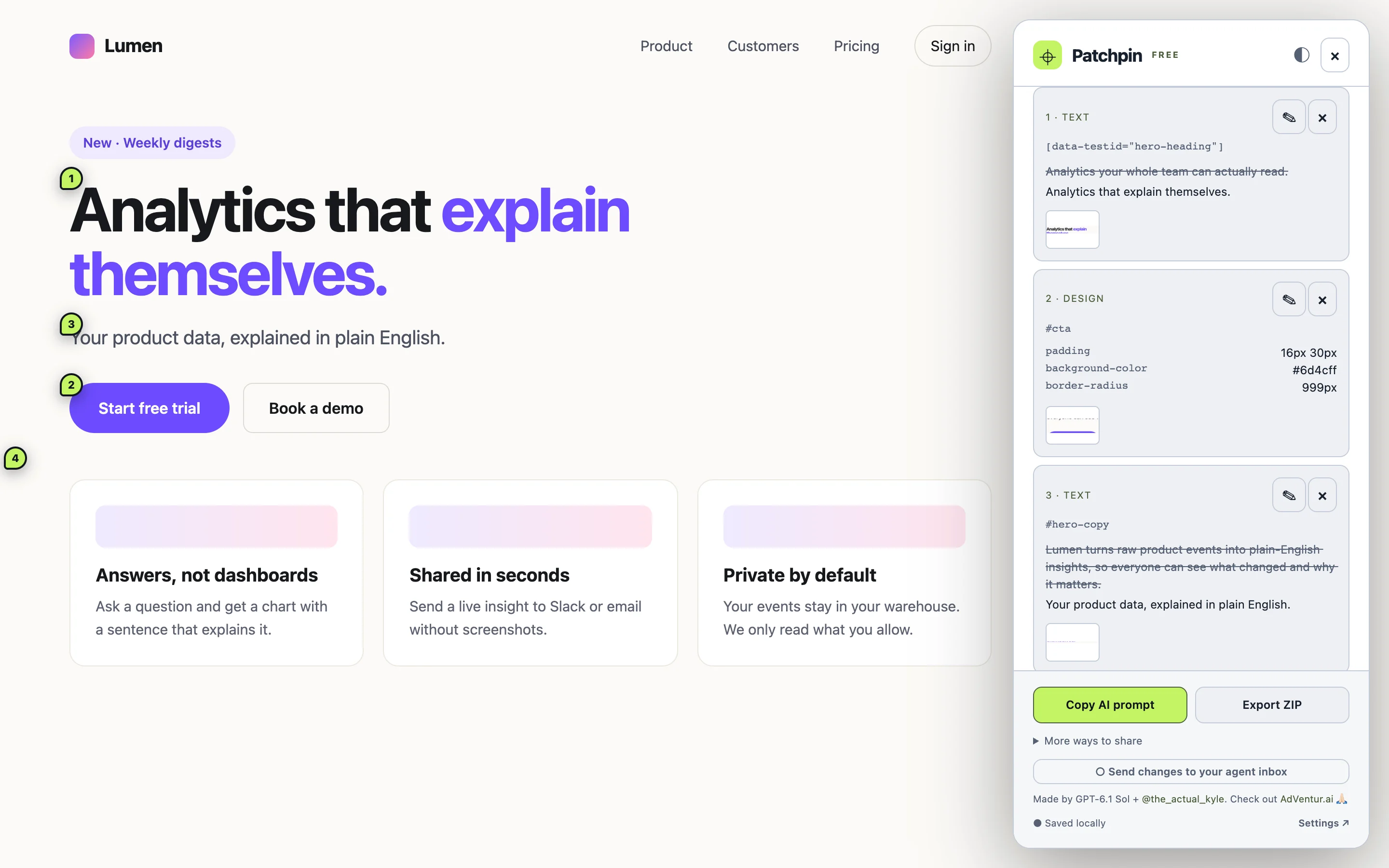
With Patchpin
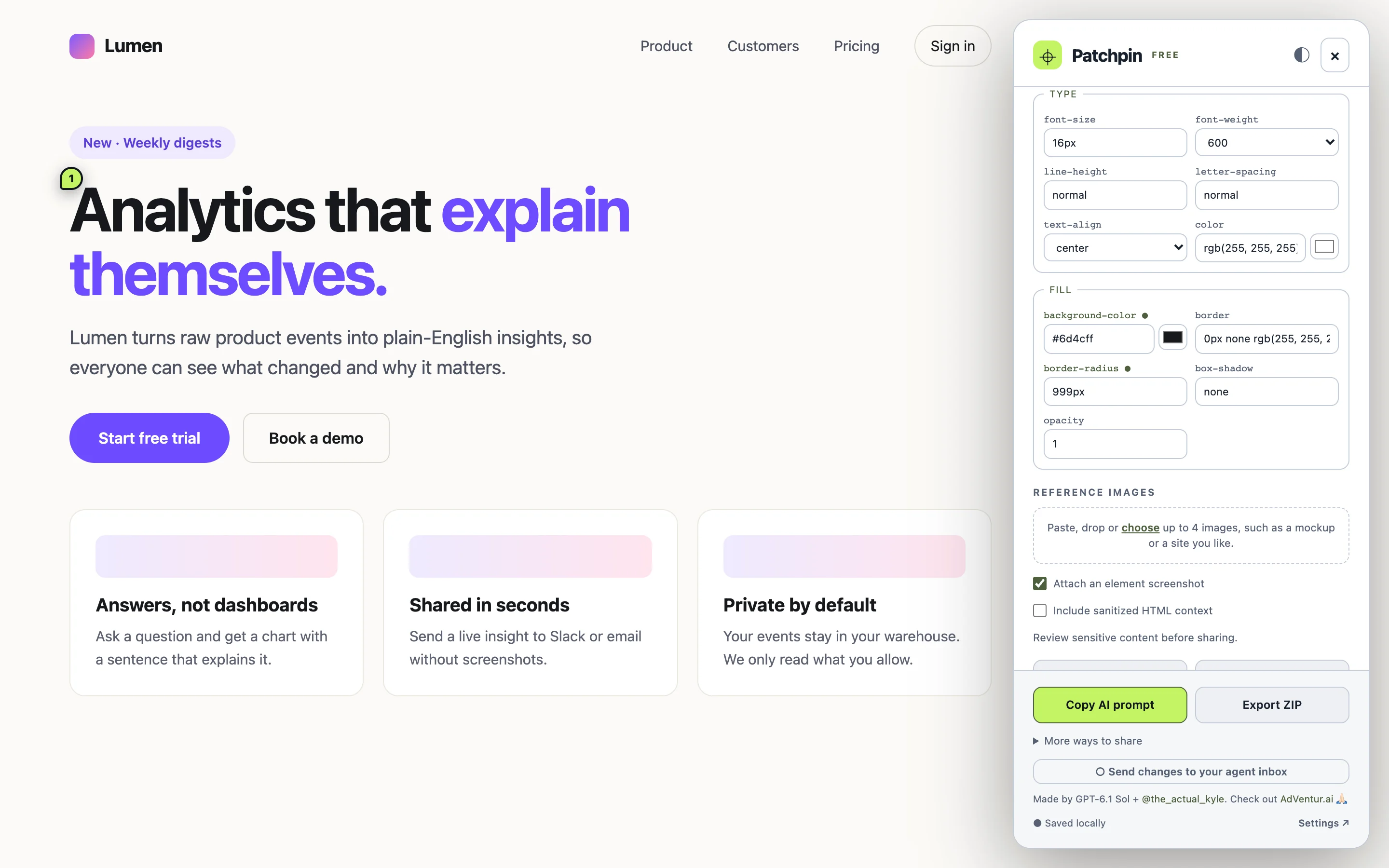
## Change 2: style
Selector: #cta
XPath: /html[1]/body[1]/main[1]/div[1]/button[1]
CSS property: background-color
Current value: "rgb(22, 24, 29)"
Change to: "#6d4cff"
One paste. Exact element, exact values, right first time.
How it works
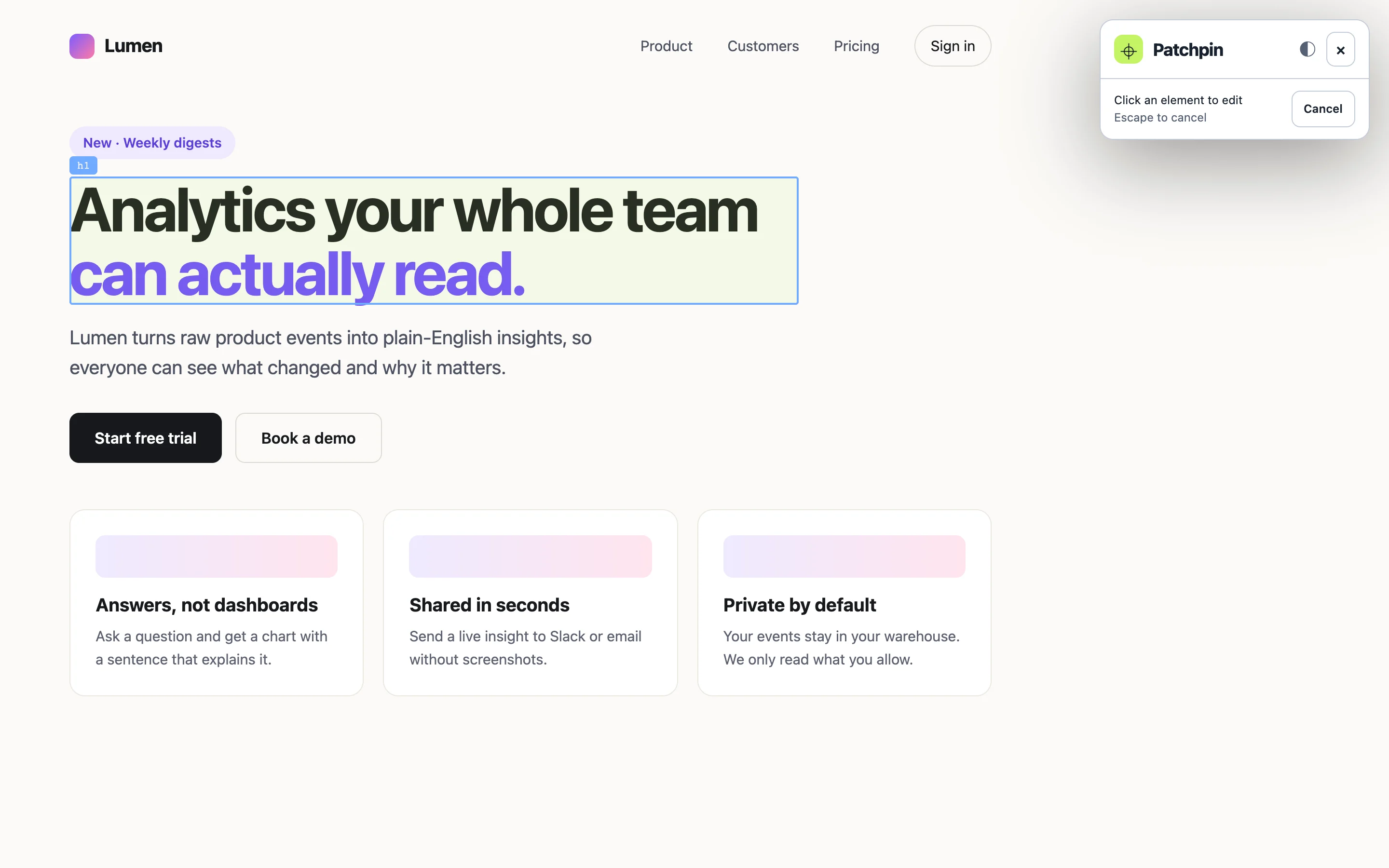
Press Alt Shift P on any page: localhost, staging or production. Hover, click, done. Parent selection grabs whole sections.
Rewrite copy in place, tweak colours, spacing and radius, or hide an element. You see the result on the real page, with nested links and styling kept intact.
Pixel-exact element crops, drag-to-capture areas and stitched full-page screenshots, bundled with selectors, XPath and nearby text.
Copy one prompt, open it straight in Cursor, or export a ZIP with
prompt.md, changes.json and PNGs. Your
agent does the source edit.
The output
This is the real prompt Patchpin produced for the demo above. Structured, specific, and safe: page text is marked as reference data, never as instructions.
Built for fast iteration
Patchpin’s local MCP server lets Claude Code, Cursor or Codex pick up each change as you add it, fetch its screenshots, and mark it done. Pins turn green as the work lands.
Layout, size, spacing, type, colour, borders and shadows, edited together with a live preview. Your agent gets every before and after value, mapped to your design tokens.
On dev builds Patchpin reads React, Next.js, Vue, Svelte and Angular component names and source files, so your agent opens the right file first.
Ask for two to four real variants of any section. Flip between them on the page and keep the one you like.
Every change is pinned to its element with an automatic screenshot. Paste or drop a mockup to show exactly what you mean.
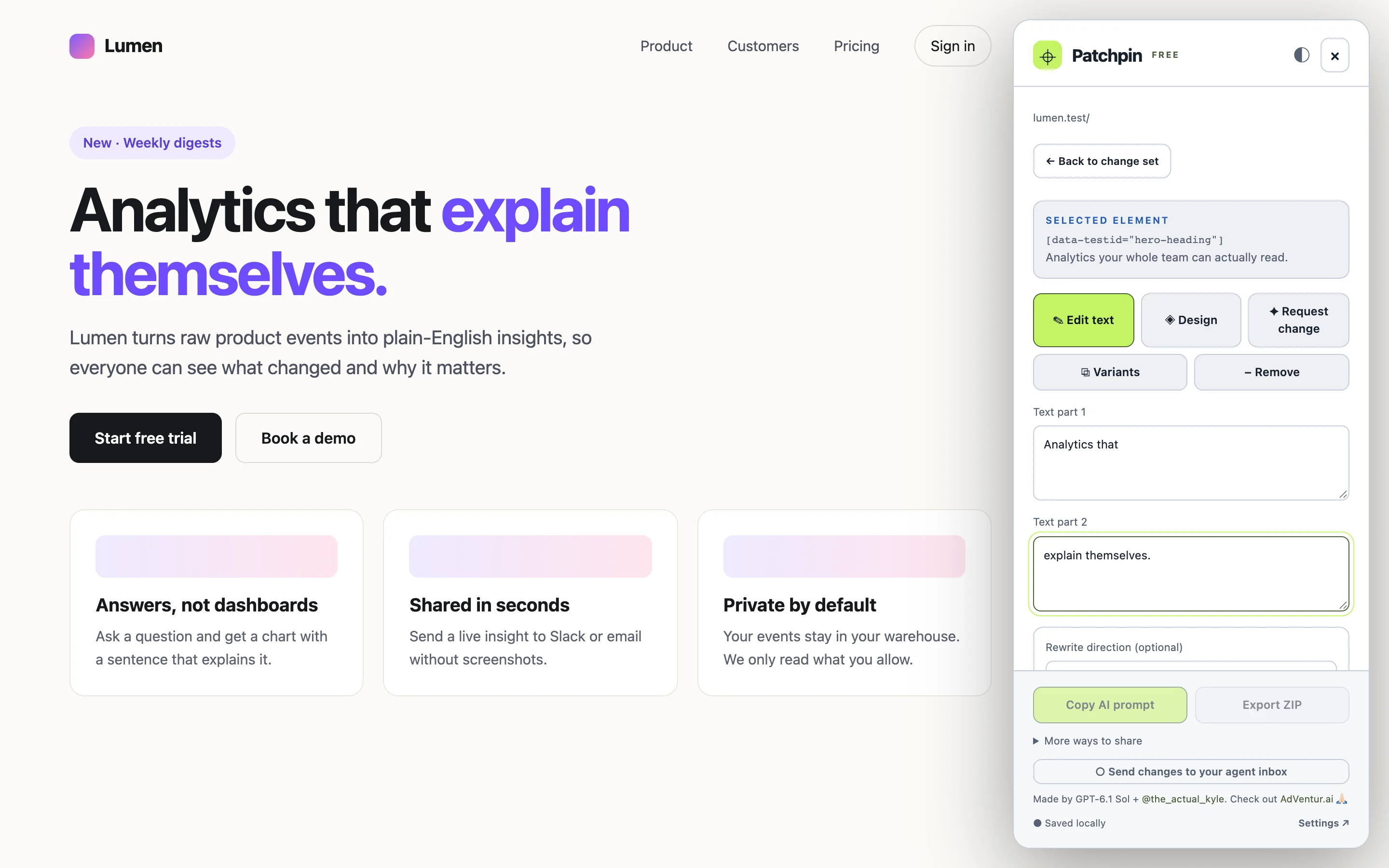
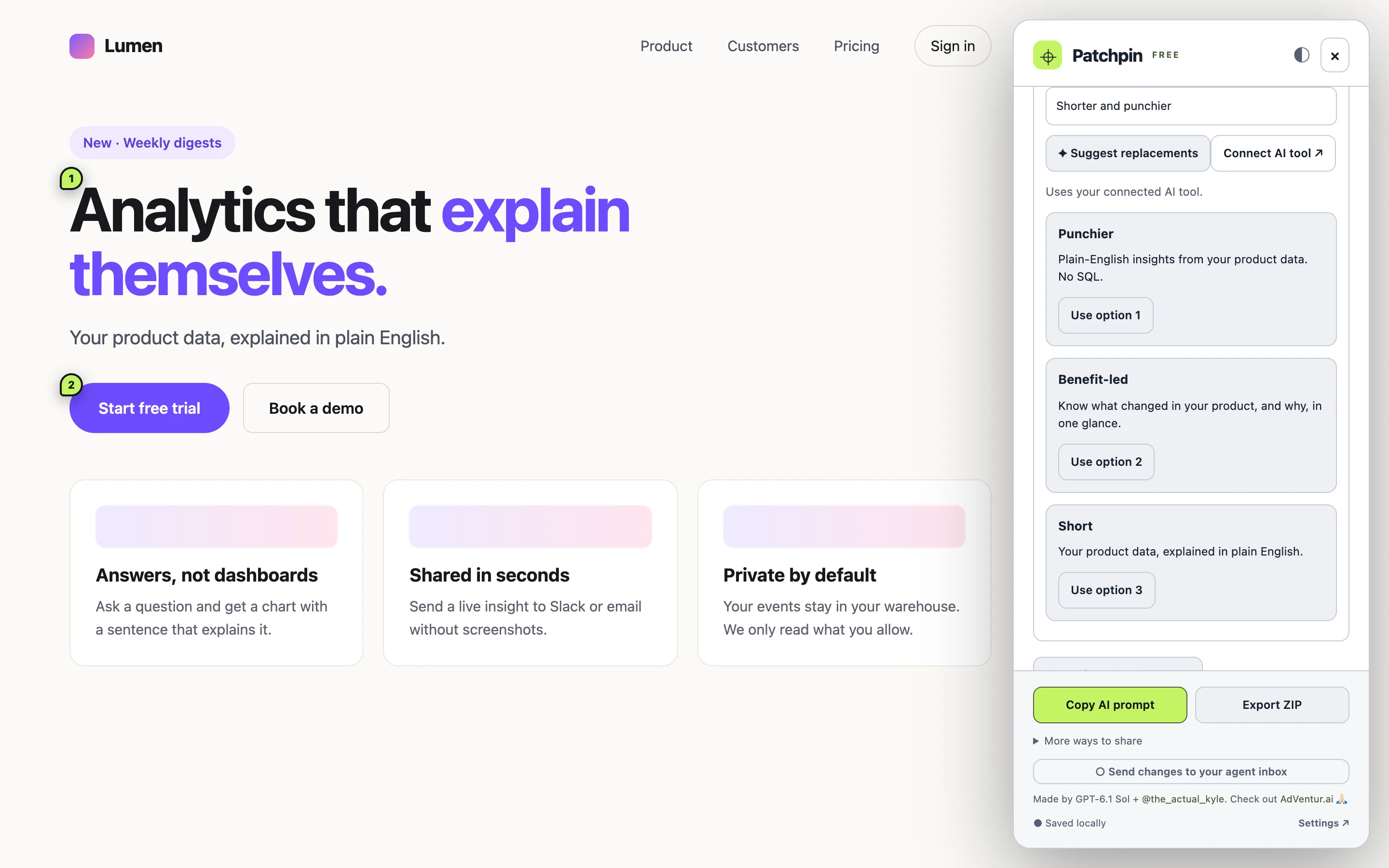
Type straight onto the page, or edit styled spans and links as separate parts so formatting survives. Optional AI rewrites give you three alternatives in place.
Copy one prompt for a page or a whole site, or export a ZIP, an HTML report anyone can open, or a JSON change set a teammate can import.
Change sets are saved per page and follow single-page-app routes. Undo, replay previews, or come back tomorrow and export.
Localhost, staging, production, even sites you don’t own. No SDK, no framework plugin, no proxy.
Local-first by design
Patchpin runs entirely in your browser. It only touches a tab when you open it there, and makes no network calls by default. Optional AI suggestions and the agent inbox use your local companion. Your AI provider’s pricing and usage limits still apply.
Free, fully featured
Patchpin is free for personal and commercial projects. No subscription, license key or Patchpin account.
The whole extension
Free
Your own AI provider may charge for its services. Copying and exporting need no connection.
FAQ
No. Edits are a temporary preview in the browser. Patchpin writes the prompt; your coding agent makes the real change in your repo, where you can review it.
Any agent that accepts text and images: Claude Code, Cursor, Codex, Copilot, Windsurf and the rest. Agents that speak MCP can also connect to Patchpin’s local agent inbox and pick up changes as you make them, and Cursor gets a one-click “Open prompt in Cursor” link.
No. The optional AI rewrite feature talks to a small companion on your own machine, which uses the CLI you’re already signed in to.
Yes. It works on any regular web page Chrome can open, including local dev servers, previews and production.
Yes. Every Patchpin feature is included for free. I built it to help you ship better changes and introduce my work. Optional AI suggestions use your own provider account, with its usual costs and limits.
Download Patchpin, preview edits on your website, and send the prompt and screenshots to your coding agent. Every feature is ready to use.
Download for ChromeFree download · No activation · Chrome Developer mode installation.
chrome://extensions and enable Developer mode.
manifest.json.
Updates: replace files in the same folder, reload Patchpin in Chrome, and refresh your website. Keep the folder path to preserve local drafts.
Full installation guide · SHA-256 checksum · Optional AI companion · AI setup